Indie Artists: Music Landing Pages That Load in 1–3 Seconds to Convert
The most effective music landing pages are single-goal, mobile-first pages that put one clear call to action above the fold. This guide walks through real page types worth studying, including pre-save and smartlink pages, album preorder pages, merch and shop pages, tour and ticket pages, and video promo pages, then breaks down the templates, builder options, and checklist you need to launch your own.
TL;DR:
- Using a single hero image and one clear call-to-action above the fold improves conversion, with pre-save pages emphasizing streaming logos and a single button.
- Countdown timers and small rewards like bonus tracks boost preorder page engagement, while spotlighting one merchandise item increases sales on shop pages.
- Mobile-first design, loading critical content within 1 to 3 seconds, and tagging links with UTM parameters are essential for optimal performance and measurement.
- Focusing on one goal per page, such as streaming, merch, or tickets, and ensuring the buy button is immediately visible increases click-through rates.
- Building a campaign using an integrated platform that combines landing pages, analytics, and distribution minimizes workflow inefficiencies during release weeks.
Table of Contents
- Music Landing Page Examples Grouped by Campaign Type
- What Every High-Converting Music Landing Page Needs
- Choosing a Template or Builder Mode
- Design Patterns by Campaign Type
- The Mobile, Speed, and CTA Checklist
- A Practical Workflow From Idea to Launch
- One Page or a Full Microsite?
- Build Your Next Landing Page Without the Tool Juggling
- Sources
- FAQ
Music Landing Page Examples Grouped by Campaign Type
Studying a stack of screenshots does nothing if you don’t know what to steal from each one. Design galleries like Lapa Ninja’s music collection show the same handful of patterns showing up over and over: one hero image, one button, minimal text. Here’s how those patterns split by campaign goal.
- Pre-save pages. The strongest ones lead with streaming service logos (Spotify, Apple Music, YouTube Music) stacked above a single “Pre-Save” button. Takeaway: skip the artist bio here. Nobody pre-saves a song because they read your story.
- Album preorder pages. The best examples use a countdown timer next to the cover art and a locked bonus track teaser. Takeaway: urgency plus a small reward drives more clicks than a long tracklist.
- Merch and shop pages. Top performers spotlight one hero product (usually the new tour shirt or vinyl variant) instead of a full catalog grid. Takeaway: one SKU up top outsells a wall of thumbnails.
- Tour and ticket pages. High-converting versions show the closest city first, with a “Buy Tickets” button that never requires scrolling to find. Takeaway: geography-first sorting beats alphabetical city lists every time.
- Video and promo pages. These lean on a lightweight video thumbnail that triggers play without loading a full embed until clicked. Takeaway: fast load beats autoplay for keeping mobile visitors around.
Grouping examples by goal, rather than scrolling through a generic list, makes it easier to copy what’s actually working, a point Landingi’s guide to music landing pages backs up with its own breakdown of 20 real pages.
What Every High-Converting Music Landing Page Needs
A landing page that converts isn’t a mini website. It’s a funnel with one job. Here’s what belongs on it, and why each piece earns its spot.
- A value proposition and CTA above the fold. Your headline should tell a fan exactly what to do in five words or less (“Stream the new single” beats “Welcome to my music”). The button sits within the first screen, no scrolling required.
- Multi-service smart links. A single link that routes to Spotify, Apple Music, and YouTube at once removes the friction of picking a platform, and gallery data consistently shows multi-service pages outperforming single-platform ones.
- Email capture built into a fan magnet. Offering an exclusive demo, wallpaper, or early ticket access in exchange for an email address turns a one-time visitor into someone you can reach again.
- Merch or ticket checkout that’s frictionless. Shipping costs and delivery timing should be visible before checkout, not buried at the final step.
- Social proof placed near the CTA. A press quote, a fan comment, or a stream count next to the button (not at the bottom of the page) reinforces the click you’re asking for.
- One-line legal or compliance note. If you’re collecting emails, a short line about how you’ll use that data (no spam, unsubscribe anytime) builds trust without needing a full privacy policy.
Pro Tip: Put your CTA button in the same color every time a fan sees your brand, whether that’s a landing page, an Instagram story, or a merch table. Repetition builds recognition faster than clever copy does.
Choosing a Template or Builder Mode
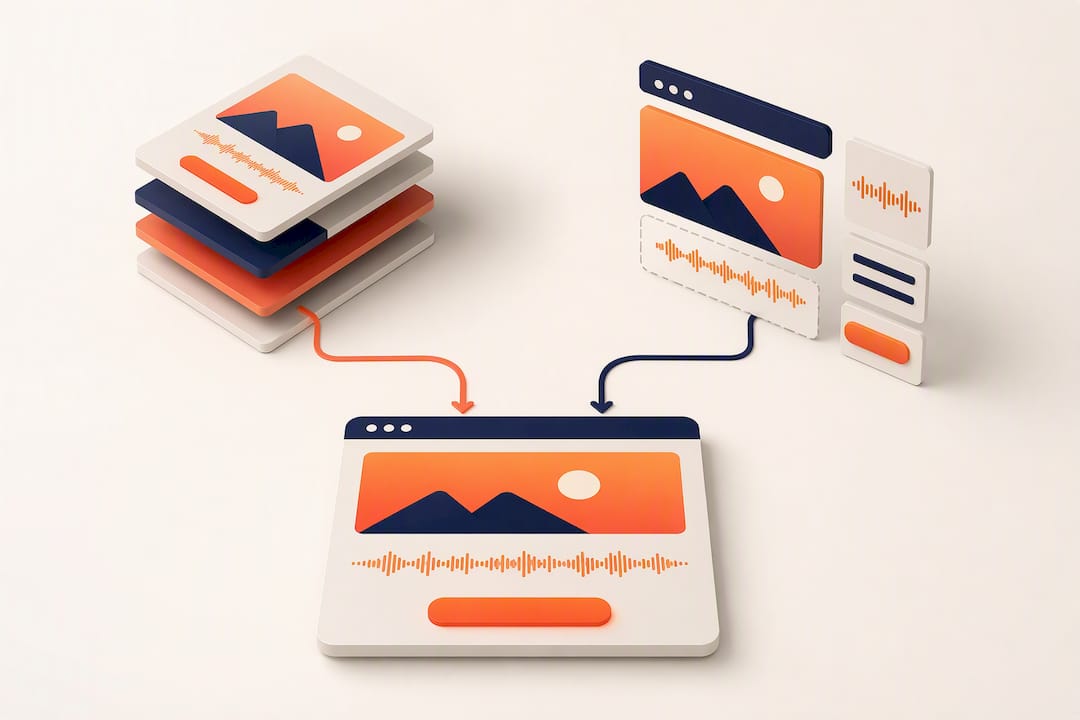
Not every campaign needs the same page structure. Most builders offer a handful of modes, and picking the wrong one wastes time you don’t have during release week.
The common modes are link-in-bio pages, single-release promo pages, pre-save pages, merch storefronts, and event pages, and ConvertFlow’s template library organizes its own examples around exactly this split. When comparing templates, prioritize audio embed support, built-in ecommerce, mailing automation, analytics hooks, and mobile load speed over visual flair.
- Customization gives you brand control but costs setup time. Speed gets you live today but limits how much you can tweak.
- Hosting your own page gives full ownership. A hosted builder trades that control for convenience and faster launches.
- Before picking, check: does it support smart links out of the box? Does it plug into your mailing list? Can it track events without extra code?
Design Patterns by Campaign Type
Each campaign type rewards a different layout, and treating them all the same is where most artists lose conversions.
- Pre-save: lead with streaming buttons, gate a bonus (like a lyric video) behind an email address collected before release day.
- Preorder/release: use a countdown clock and offer multiple purchase options (vinyl, digital, bundle) side by side.
- Merch: spotlight one SKU, add a simple upsell (“add a sticker pack for $3”), and state shipping timelines clearly.
- Tour/ticket: put the buy button immediately next to the nearest date, and make sure ticket delivery works on mobile wallets.
- Video promo: use a play button that loads video only on click, keeping the initial page light.
If you’re timing a pre-save around playlist outreach, Intonality’s guide to pre-release pitching is worth reading alongside your landing page build, since both hinge on the same release-day window.
The Mobile, Speed, and CTA Checklist
Mobile devices generate a large share of all web traffic, according to Statista’s tracking of mobile traffic share, which means a page that looks great on a laptop but loads slowly on a phone is losing fans before they see your music.
- Design mobile-first, not mobile-adapted. Build the phone layout first, then scale up.
- Target 1 to 3 seconds for critical content to load. Compress audio previews to short MP3 snippets and lazy-load anything below the fold.
- Keep one dominant CTA per page. Test button copy (“Stream Now” vs. “Listen Today”) rather than adding a second competing button.
- Tag every link with UTM parameters so you know which post, story, or bio link drove the click. Organic and email traffic often convert at higher rates than paid or social clicks, which should shape where you spend promotion budget.
- Build progressive disclosure into the page. Show the essentials first, then reveal tour dates or bonus content as the fan scrolls, instead of front-loading everything.
For the link-tagging piece specifically, our smart link and UTM discipline guide walks through the setup step by step.
A Practical Workflow From Idea to Launch
Building a page in isolation, disconnected from your release checklist and your tracking setup, is how artists end up rebuilding the same page three times. A tighter workflow looks like this:
- Pull your assets first: hero art, a 30 to 60 second audio preview, streaming links, and any merch SKUs, using our release checklist as your packing list.
- Write CTA copy before you touch the builder, not after.
- Build the page with one goal and one button.
- Route traffic through tagged smart links and confirm your tracking pixel fires before launch day.
- Check the same analytics dashboard you use for streaming data, so page performance and stream growth live in one place instead of five browser tabs.
One Page or a Full Microsite?
Pick a single-goal page when you need conversions now. Build a microsite only when you’re running multiple funnels or telling a longer editorial story. DIY artists on tight budgets should start with one page and add testing once traffic proves the concept, an approach that pairs naturally with the phased releases in our 12-week rollout plan.
— Karan
Build Your Next Landing Page Without the Tool Juggling
Some platforms replace the patchwork of separate builders, mailing platforms, and analytics dashboards with one system built around AI, so a pre-save page, its smart links, and its performance data can all live in the same place instead of three disconnected accounts.

That matters most in the week before release, when you don’t have time to reconcile numbers across five tabs. Some platforms connect landing page traffic directly to streaming analytics and fan engagement tools, so you can see which promo pushed which stream, not just a raw click count. Distribution runs through the same platform with no subscription fee, only a 6% royalty split, and mastering and mixing are available if your preview audio needs a final pass before it goes on the page. If you’re ready to build your next campaign page inside a workflow that already talks to your distribution and analytics, check the UpNComer Pro plans, starting at $27 per month or $300 per year, and start your first release page today.
Sources
- Music Landing Pages: 44 Examples & Inspiration | Lapa Ninja
- Music Landing Page: Definition, How to Create & 20 Examples
- Music landing page templates & examples | ConvertFlow
- Share of website traffic coming from mobile devices (Statista)
FAQ
What Makes a Music Landing Page Convert Well?
A high-converting page has one goal, one CTA above the fold, and loads fast on mobile. Pages that mix multiple asks, like streaming and merch and tour dates on one screen, typically convert worse than focused single-goal pages.
Should I Use a Pre-Save Page or a Regular Release Page?
Use a pre-save page before release day to build streaming momentum, then switch the same URL to a regular smartlink page once the song is out. This keeps any links you’ve already shared pointing to a live, relevant page.
How Fast Should My Landing Page Load?
Aim for 1 to 3 seconds for critical content like your hero image and CTA button. Compress audio previews into short snippets and delay loading video embeds until a fan clicks play.
Can I Build a Landing Page Without Hiring a Developer?
Yes. Template-based builders and platforms like UpNComer let independent artists assemble a page using pre-save, promo, and merch templates without writing code, and UpNComer connects that page directly to distribution and streaming analytics once it’s live.
How Do I Know if My Landing Page Is Working?
Track click-through rate on your CTA, email capture rate, and conversion rate against UTM-tagged traffic sources. Organic and email traffic tend to convert at higher rates than paid social clicks, which should guide where you invest promotion budget.