
Apple Music Pre-Add: How It Works and How to Set One Up

An Apple Music pre-add lets fans add your upcoming release to their library before it is live. You can’t create one by hand in an app. Your distributor has to deliver the release with the right pre-order and an instant-gratification track, and then you share the link. This guide covers what Apple requires, how to get the link, how to promote it, and what to check when something breaks.
TL;DR
- A pre-add saves an upcoming release to a fan’s Apple Music library, and the full release lands there automatically once it’s out.
- Apple’s requirement is an iTunes Store pre-order with at least one instant-gratification track or music video, so a pre-add is set up through your distributor.
- The sales start date has to be at least one day in the future, and the release must be cleared for sale in the territories you want.
- Generate your link with Apple Music Marketing Tools, and use a country-correct link for each region.
- Apple reports that releases with pre-adds saw significantly higher listens than releases without them.
Table of Contents
- What an Apple Music pre-add actually is
- Pre-add, pre-save, pre-order: what’s the difference?
- What you need before a release can be pre-added
- How to set up a pre-add through your distributor
- Getting your Apple Music pre-add link
- How to promote your pre-add so it actually gets used
- Our perspective: treat the pre-add as a fan signal, not a vanity button
- Using UpNComer for the rest of your release
- When a pre-add doesn’t work: troubleshooting
- A simple pre-add checklist
- FAQ
- Sources
What an Apple Music pre-add actually is
A pre-add is Apple’s version of the “save it for me” button. According to Apple Music for Artists, pre-adds let fans add music from an upcoming release to their library or playlists. Pre-adders are notified when the album is available, and they can stream and share it right away.
There’s a second half that artists often miss. Fans can hear one or more songs before the full release is live, and the complete release is automatically added to their library once it becomes available. Those early songs are your teaser. They’re also the reason the pre-add exists as a campaign tool rather than just a bookmark.
The mechanics are visible in how listeners describe them: pre-adding saves the album in a subscriber’s library and lets them play any songs already out from it.

Pre-add, pre-save, pre-order: what’s the difference?
People use these words as if they’re interchangeable. They aren’t.
| Term | Where it lives | What the fan does | What the artist needs |
|---|---|---|---|
| Pre-add | Apple Music | Adds the upcoming release to their library | Release delivered with a pre-order and an instant-gratification track |
| Pre-save | Usually Spotify and other services, often through a third-party link tool | Authorizes a save that triggers on release day | A link tool or your distributor’s feature |
| Pre-order | iTunes Store | Buys the release ahead of time | A pre-order set up in the iTunes Store |
On Apple Music, the term fans see is “pre-add,” even though many artists search for “pre-save on Apple Music.” If a link tool promises an Apple Music pre-save, it is pointing fans to the Apple pre-add page for your release.
What you need before a release can be pre-added
Apple’s provider guidelines are specific. To enable a pre-add, the release must be delivered as an iTunes Store pre-order with at least one instant-gratification track or music video. Three conditions follow:
- A future sales start date. The date must be at least one day ahead of when the pre-order metadata and the instant-gratification track are added.
- An instant-gratification track. This is a song (or music video) fans can play right after pre-adding, before the rest of the release is live. Most artists use the lead single.
- Clearance for sale in your territories. The release must be cleared for sale in the territories where you want the pre-add available.
Apple also tells independent artists and teams to work with their distributor so their songs meet the pre-add specs. That’s the key takeaway: the work happens at the delivery stage, not inside your Apple Music for Artists account.
A practical timing rule
Don’t submit at the last minute. A “one day in the future” rule is the technical minimum, not a plan. Give yourself enough runway to catch metadata errors, since a pre-add link can only be shared once Apple has the release. Our music release checklist lays out a sensible order for artwork, metadata, and delivery, and the 12-week artist rollout plan shows where a pre-add fits in the bigger picture.
How to set up a pre-add through your distributor
Whether you use a DIY distributor or a label services company, the logic is the same. Interfaces differ, so treat these as the steps to look for rather than exact button names.
- Pick your release date first. Choose a date far enough out to leave room for delivery and promotion.
- Upload the full release and metadata. Artwork, credits, genres, and song titles should be final. Errors are easier to fix before delivery.
- Choose an instant-gratification track. Many distributors ask you to designate which single(s) go live early. Pick the one you want fans hearing first.
- Select Apple Music and your territories. Pre-adds need clearance for sale in each territory, so don’t narrow your countries by accident.
- Submit with enough lead time. Then wait for Apple to process the delivery.
- Find your link. Once the release is accepted, grab the Apple Music link and check that it shows the pre-add option.
If your distributor doesn’t mention pre-add or pre-order options, ask support directly whether they deliver an iTunes Store pre-order with an instant-gratification track. That is the exact language Apple uses, so it gets you a clear answer faster than asking for a “pre-save.”
If you’re still choosing a distributor, our guide to independent artist distribution walks through what to compare, from fees to delivery speed to catalog moves.
Getting your Apple Music pre-add link
Once Apple has your release, you have a few ways to pull a link. Per Apple’s promotion guidance:
- Apple Music Marketing Tools generates custom links and assets to help market a release.
- Share from Apple Music on iOS or desktop: open the song or album and use the share option.
- Copy Link in the iTunes Store also works.
If you want one link that lets fans choose their service, the Promote feature in Apple Music for Artists shares links to Apple Music and other services using Linkfire technology, so fans pick their preferred platform.
Watch out for regional links
Apple notes that links to albums and songs may vary by country or region, so use the correct Apple Music and iTunes Store links for fans in each place. If you have a real audience abroad, test your link from that region or ask a fan there to confirm it opens correctly.
Track which link brings fans in
Don’t paste the same bare link everywhere. Tag each placement so you know whether Instagram, email, or your ad campaign delivered the pre-adds. Our walkthrough on smart links and UTM discipline shows a simple naming system. If you play live shows, a QR code that points to your pre-add link turns a merch table or a poster into a signup point.
How to promote your pre-add so it actually gets used
A pre-add link does nothing sitting in your bio. Apple says releases with pre-adds saw significantly higher listens than those without, with more fans returning during release week. You still have to ask fans to do it.
Here’s a workable sequence:
- Announce with the instant-gratification track. Fans can add the release and play the single immediately, which gives the ask a payoff.
- Show the action. Short screen recordings of tapping the pre-add button remove friction, especially for fans who’ve never done it.
- Use every owned channel. Email, stories, your link-in-bio page, and show announcements all carry the same call to action.
- Build a story around the date. A clear music release strategy gives fans a reason to act now instead of “someday.”
- Write for the press, too. If you send announcements to writers, include the pre-add link, and plan how you’ll share a press release on social media so the link travels beyond your own followers.
- Remind, then thank. Post a countdown in the final week, then thank pre-adders on release day.
Apple also frames pre-adds as a way to build a closer relationship with fans and attract new listeners, regardless of audience size. That makes them useful for a first release as much as for a tenth one. For more on the channels around this, see our overview of online music promotion for independent artists.
Our perspective: treat the pre-add as a fan signal, not a vanity button
Most artists think of a pre-add as a checkbox on the release to-do list. We think it’s one of the cleanest early signals you get about a release: how many people raised a hand, from which channel, and in which week.
That’s why we built UpNComer around connected workflows. Amplitude AI helps you plan the rollout, the Growth Engine handles campaigns, and the Data Analyst helps you read the streaming and audience numbers once the release is live. When your link tracking, campaign spend, and streaming analytics sit in one place, you can tell which post or ad actually moved fans, instead of guessing from five separate dashboards.
Our approach to distribution follows the same logic: keep your control, keep your catalog moving, and keep tools that talk to each other. The pre-add is only the first step in a release. What you do with the fans who show up decides the campaign.
Karan
Using UpNComer for the rest of your release
A pre-add is one piece of a release. UpNComer is an AI-powered operating system for independent artists, bringing distribution, ad campaign management, streaming analytics, fan engagement, smart links, mastering, and release promotion into one place. Our distribution has no subscription fee and takes a 6% royalty split, and the full tool suite is available on the UpNComer Pro plan at $27 per month or $300 per year.
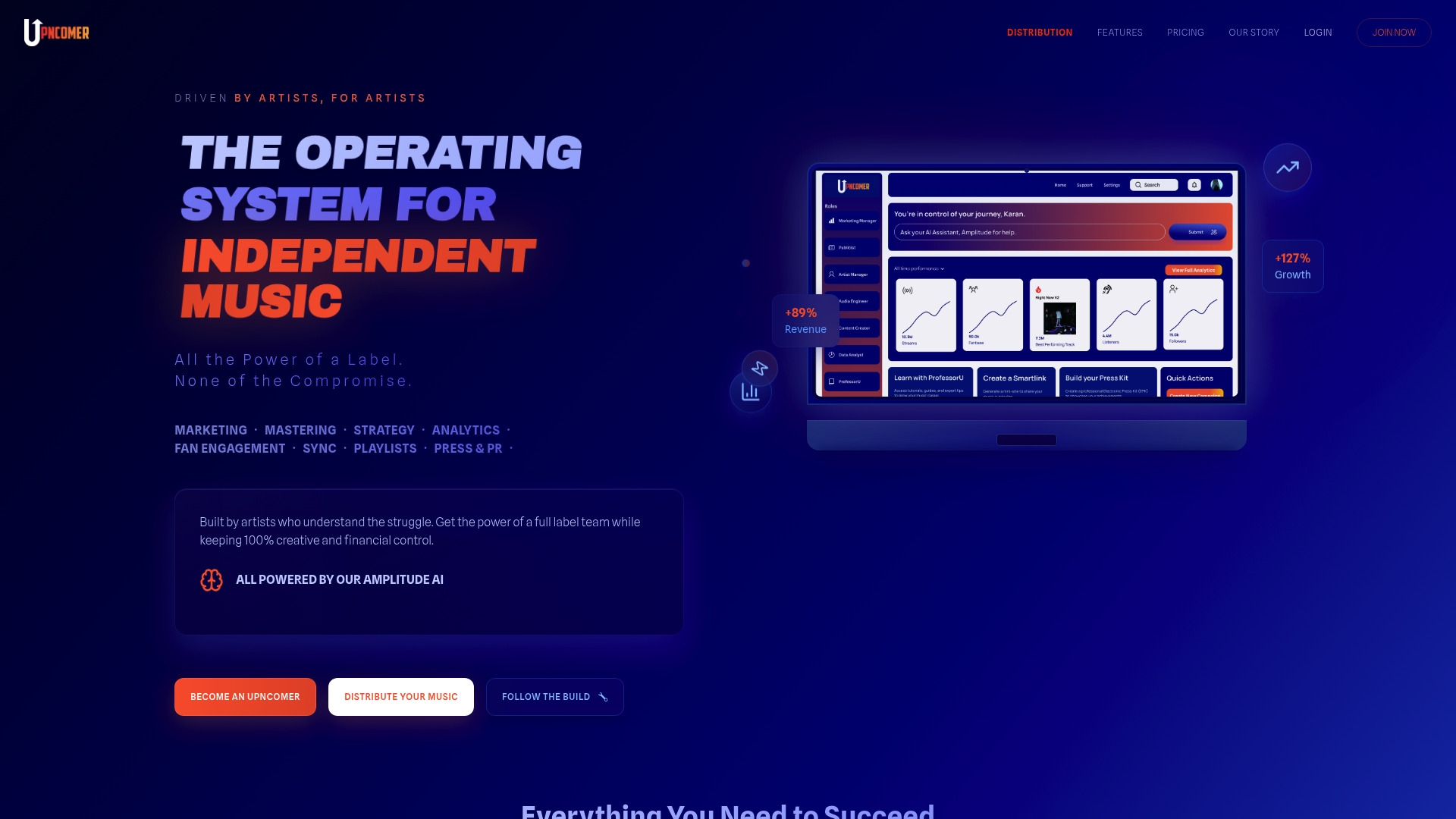
If you want to plan your release, track your links, and run campaigns without juggling tools, see UpNComer Pro or read how our distribution works.
When a pre-add doesn’t work: troubleshooting
Pre-add problems are common enough that artists have been discussing them for years, and most trace back to delivery details. Work through these in order.

The link doesn’t show a pre-add option. Check that the release was delivered with an iTunes Store pre-order and an instant-gratification track, since that is Apple’s stated requirement. Then confirm with your distributor that Apple has accepted the release.
Your release date is too close. The sales start date must sit at least one day beyond when the pre-order metadata and instant-gratification track are added. If you rushed it, ask your distributor whether a new date is needed.
Fans in another country can’t open it. The release has to be cleared for sale in each territory, and links vary by region. Confirm your territory selection and use the right regional link.
The link goes to the wrong place or an old version. Regenerate it from Apple Music Marketing Tools or by sharing from Apple Music, and replace every old copy in your bio and emails. A smart link with one destination you can update makes this far easier.
Your artist profile looks wrong. A mismatched or unclaimed profile can make a release look wrong to fans. Our guide to claiming your Apple Music artist page covers the steps.
Still stuck? Send your distributor the release title, UPC, intended release date, and a screenshot. A specific message gets a faster answer than “my pre-add isn’t working.”
A simple pre-add checklist
- Release date chosen with generous lead time
- Final audio, artwork, and metadata uploaded
- Instant-gratification track selected
- Apple Music selected, with all intended territories cleared
- Distributor confirmed it delivers an iTunes Store pre-order
- Link generated and tested from your target regions
- Tracked links created for each channel
- Announcement, reminders, and release-day thank-you scheduled
FAQ
Can I pre-add my own release on Apple Music?
Only after your distributor has delivered it and Apple has processed it. Fans, including you, then see the pre-add option on the release page. The setup happens at delivery, not in your artist account.
What’s the difference between an Apple Music pre-add and a Spotify pre-save?
A pre-add is Apple’s native feature that adds the upcoming release to a fan’s library. Pre-saves on other services usually run through a link tool that authorizes the save on release day. For Apple Music, the work is in how your distributor delivers the release.
Can fans hear anything before the release date?
Yes. Apple says pre-adds let listeners hear one or more songs before the release is available, which is why an instant-gratification track is required. The full release is then added to their library automatically when it goes live.
Do pre-adds work in every country?
They work in the territories where your release is cleared for sale. Links can also differ by country or region, so check that fans in each market get the right one.
How far ahead should I set up a pre-add?
Apple’s minimum is a sales start date at least one day after the pre-order metadata and instant-gratification track are added. In practice, leave much more room so you have time to test the link and promote it.
Sources
- Apple Music pre-adds, Apple Music for Artists
- Music pre-releases, Apple Music Provider Support
- Promote your release, Apple Music Provider Support
- Promote overview, Apple Music for Artists
- Billie Eilish breaks Apple Music record for most users pre-adding, MacRumors